Document syncing is a tedious process that takes time away from your paralegals, assistants, or whomever it may be trying to sync documents in the correct directories—especially if you have a ton of incoming leads.
Every time a new client comes in, someone has to manually create folders, upload documents to multiple systems, and keep track of which version lives where. It's busywork that adds up to hours every week.
The Problem
Most law firms use multiple systems: Clio for case management, Google Drive or OneDrive for document storage and collaboration, maybe Dropbox for client sharing. Each system has its own folder structure, its own upload process, and its own version of "the latest document."
The result? Your team spends more time managing files than working on actual cases. Documents get uploaded to the wrong folder. Versions get out of sync. Someone edits a document in Google Drive while someone else is working on the Clio version.
The Solution: Two-Way Sync
When uploading a file in Clio or Google Drive, we automatically do a two-way sync, allowing you to access files in separate software while keeping them in sync.
Automatic Two-Way Sync
Upload once, access everywhere
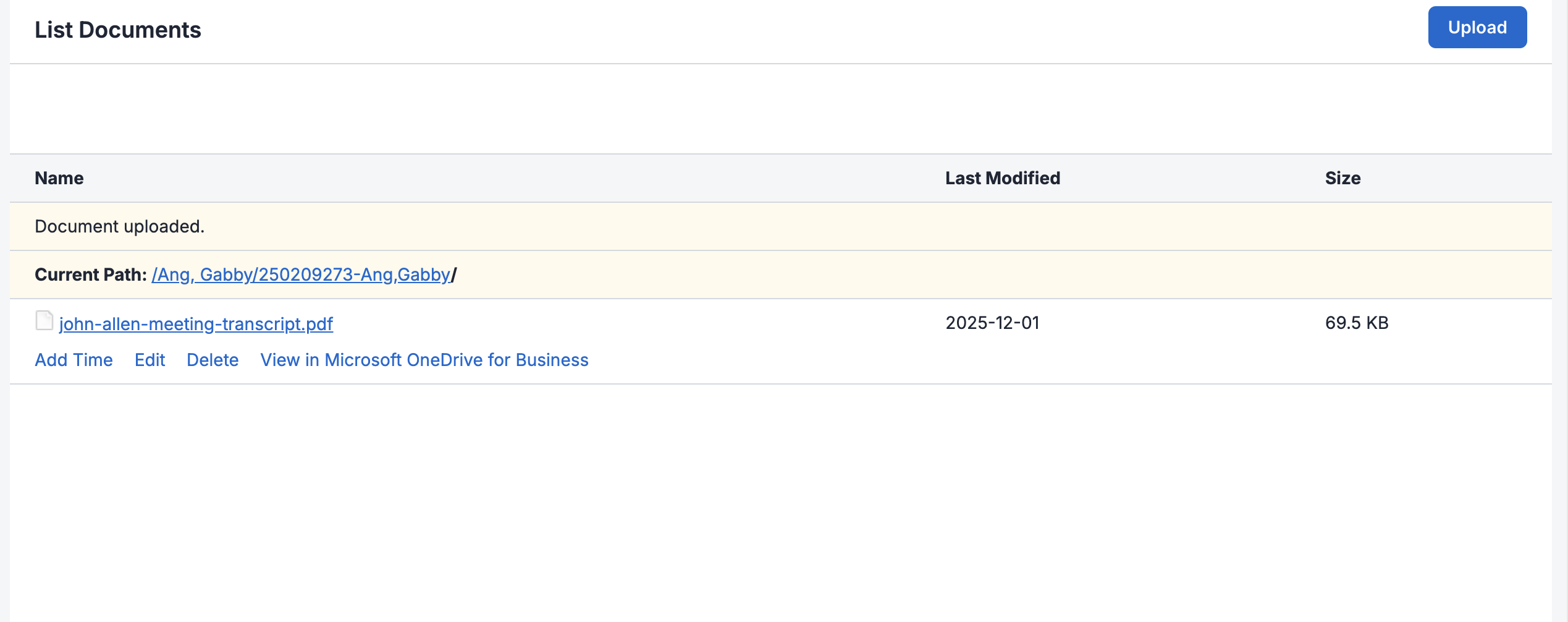
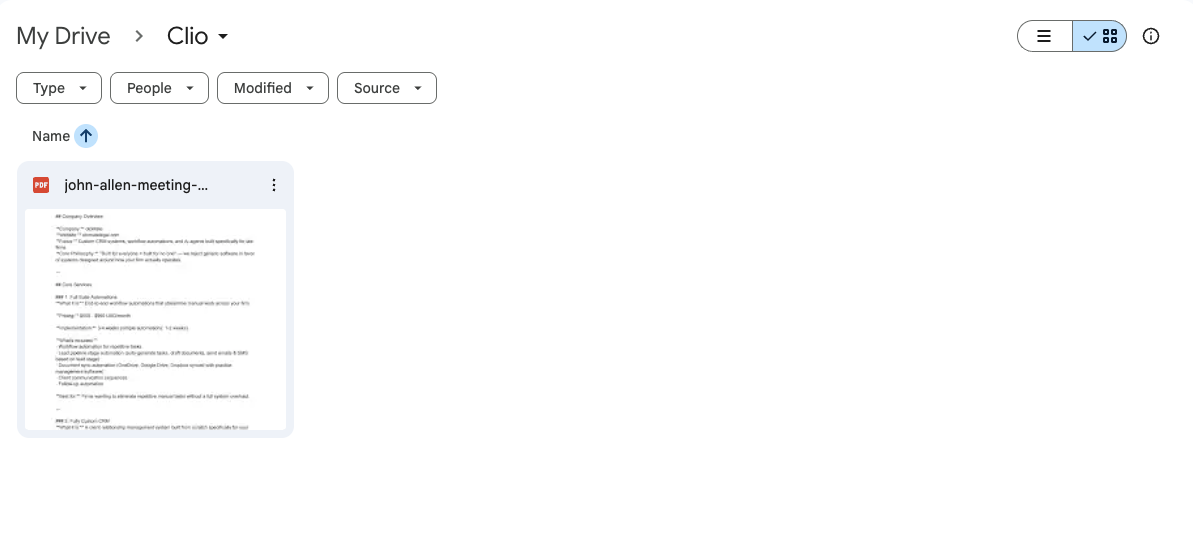
Upload Once
Add a document to either platform and it appears in both instantly.
Always In Sync
Edits and updates sync automatically. No more version confusion.
Hours Saved
Stop manually copying files between systems. Automation handles it.
How It Works
The automation monitors both platforms for changes. When a new document is uploaded to Clio, it automatically creates a copy in the corresponding Google Drive folder. When someone edits a file in Google Drive, those changes sync back to Clio.
We handle the folder structure mapping, so your Clio matter folders correspond to your Google Drive client folders. Everything stays organized without manual intervention.
Beyond Clio & Google Drive
This same automation works with:
- OneDrive — Perfect for firms using Microsoft 365
- Dropbox — Great for client-facing document sharing
- SharePoint — Enterprise document management
- Box — Secure cloud storage with compliance features
The principle is the same: upload once, access everywhere, always in sync.
The Numbers Behind It
Industry research shows the real cost of manual document management:
- 6 hours wasted weekly — Lawyers and staff spend an average of 6 hours per week dealing with document management challenges (MetaJure)
- 2.3 hours searching for documents — Each week, lawyers lose over 2 hours just searching for files they can't find, plus another 2 hours recreating documents (MetaJure)
- $9,071 lost per lawyer annually — Time wasted on document issues costs firms nearly 10% in lost productivity per attorney (MetaJure)
- 94% find documents easier — Firms using document management software report it's significantly easier to locate what they need (ABA Survey)
The Bottom Line
Your team shouldn't spend their day copying files between systems. That's what automation is for. Two-way document sync eliminates the busywork and ensures everyone is always working from the same, current version of every document.
Less time managing files means more time for the work that actually matters.